


Bringa
Utilities app
Mobile


Overview
Bringa is a construction managing app (software) that assits with managing logistics and project finances. The program coordinates between the construction foremen, purchasing departments, the accounting department and the suppliers. The main purpose is to issue, generate and centralize purchase orders that come out of the purchasing department.

about the project

Oz the Builder
I started the “Bringa” project as part of my work as a secondary procurement manager in a firm that specializes in TMA 38 B.
As part of the management group I worked with ERP software called SAP. The software itself gathers a lot of data regarding to orders for materials, products and gives a weekly/monthly expenses related to those orders.
What made me think about creating ‘Bringa’ is the unprofessional, messy and frustrating communication between the purchasing department, the managers of the construction sites in the field, the accounting department and SAP itself. For mounts i thought about what can i do better and what this new system that i want to create and add to our routine will do different. When i finally came out with all the problems & solutions I presented it to our CEO and the senior staff and i start developing an actual application that would help those departments work more efficient together.
ROLE
Visual design (mobile)
Prototyping & Testing
Interaction
Logo design & re-branding
CLIENTS
OFEK HOLDINGS
purchasing department
Date
July 22' - November 22'


It was one of the most significant projects for me (!) because I had the privilege of being on field, photographing, talking to the workers, consulting with them, sharing the process with them and occasionally eat with them. I mean who doesn't love pita with hummus?
Let's just put it this way


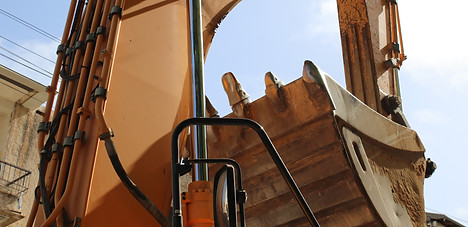


**Pictures from the company's construction sites
Visual Identity
For nearly three years as part of my work, I got to know the "world" of construction and experience it up close. When I approached to start thinking about the overall design, I was at a good starting point and already knew which color palette to choose.
When I thought about the logo and name of the brand I concentrated on the general idea for which the app was created. In the end, beyond the coordinating between the various departments, the application allows the work managers at the construction sites to order equipment and materials for the field. And that's where the idea of Bringa came from. Bringa simply brings you what you need and when you need it. Everywhere.
The gray and dark colors reminded me of the concrete walls of the building, the yellow and orange are familiar colors on construction sites that are used to warn of something and create attention around it, while the white is the clean factor that aims to put things in order in the eye and provide cleanliness.
All the colors are dull and clear enough to allow a comfortable use experience in the weather conditions in the field

Typography
Colors

Primely
Secondery

Visual Design
The main visual challenges
There were a lot of difficulties along the way and a need for a lot of clever design solutions.
In the end of it, we tried to reduce the use of the existing systems or rather, we wanted to work alongside them until we could make a full turnover and transition.
We allow and need the foremen to be part of the communication circle between the departments and try to work independently through their phones.
Colors -
choosing dull and clear colors that can serve the site managers in the field in sunny and rainy conditions (slide up to view)

NOTICE ! -
since money is a factor it was important to have confirmation messages. Before performing any action, make sure there is no mistake.
Visual overluod -
a lot of orders are made a day and a lot of money is transferred - it was necessary to make sure that the transition from the previous systems would be easy and the design would allowing quick adaptation
Communication - It was important not to harm the day-to-day operations of the company, so we allowed communication to continue through WhatsApp and email. In addition, there is an option to save the documents and orders generated from the application.
Visual overluod
Since the application contains a lot of details and provides a lot of services and information, it was necessary to think how to divide the screens and how to prioritize what comes before what and what is more important. The main goal is to create a right flow and to allow a perfect user experience.
The main screen is made up of three screens. Each one is used by the work managers to perform a different action. On the first screen you can track the orders you've placed, on the second one you can view the orders status and track the payment to suppliers, and on the third and last screen you can see the total monthly expenses.

Order list
Supplier payment
Budget monitor
In this screen, all orders that have been placed in is shown. You can see preliminary information about each of these orders. When we click on one of the orders, it will take us to a secondary screen where the entire order will be displayed. There will also appear the products we ordered, whether the order was finally approved by the purchasing manager, notes, date.
On the second screen you can see the order status in terms of payment to suppliers. Every order we issued is intended for a certain supplier with whom the company works and has signed an agreement. Each supplier should come to pick up a check (payment) from the company when the work is finished or when the order have been delivered.
The last screen gives us a general picture of the financial budget progress of the project. The company is interested in receiving information on the monthly/annual expenses from a financial point of view and their categories divisions. For example, what are the monthly expenses on iron for a certain project.
We will talk and get into detail about the first screen.

In the process of understanding the project, I sat a lot with the work managers and tried to analyze the previous conduct. In the previous procedure, the site manager would send orders via WhatsApp or email. Things were getting lost in inbox, products and materials would not arrive in time and there was often a discrepancy between what was ordered to the field by the procurement manager in the offices and what the site manager actually needed. There was a lot of disorder in the previous management and the goal was to simplify things in the best possible way and transfer more power to the work managers. In the end, they know and supposed to manage their site properly, order the right equipment and materials for the area and manage the budget.
.png)